IBM · Cloud Pak for Data
Permission Structure
Identity access management · permission structure redesign
Background
The product I worked on was Cloud Pak for Data, an extensible platform built on microservices that lets different personas across an organization collect, organize and analyze their data. My squad was IAM (identity and access management), which is essential for securing a hybrid multi-cloud enterprise. Admins use IAM to control which users are authenticated, meaning who can sign in to the platform, and what they are authorized to use.
This project focused on redesigning the permission structure: how admins give users access in Cloud Pak for Data.
Then and now
Then
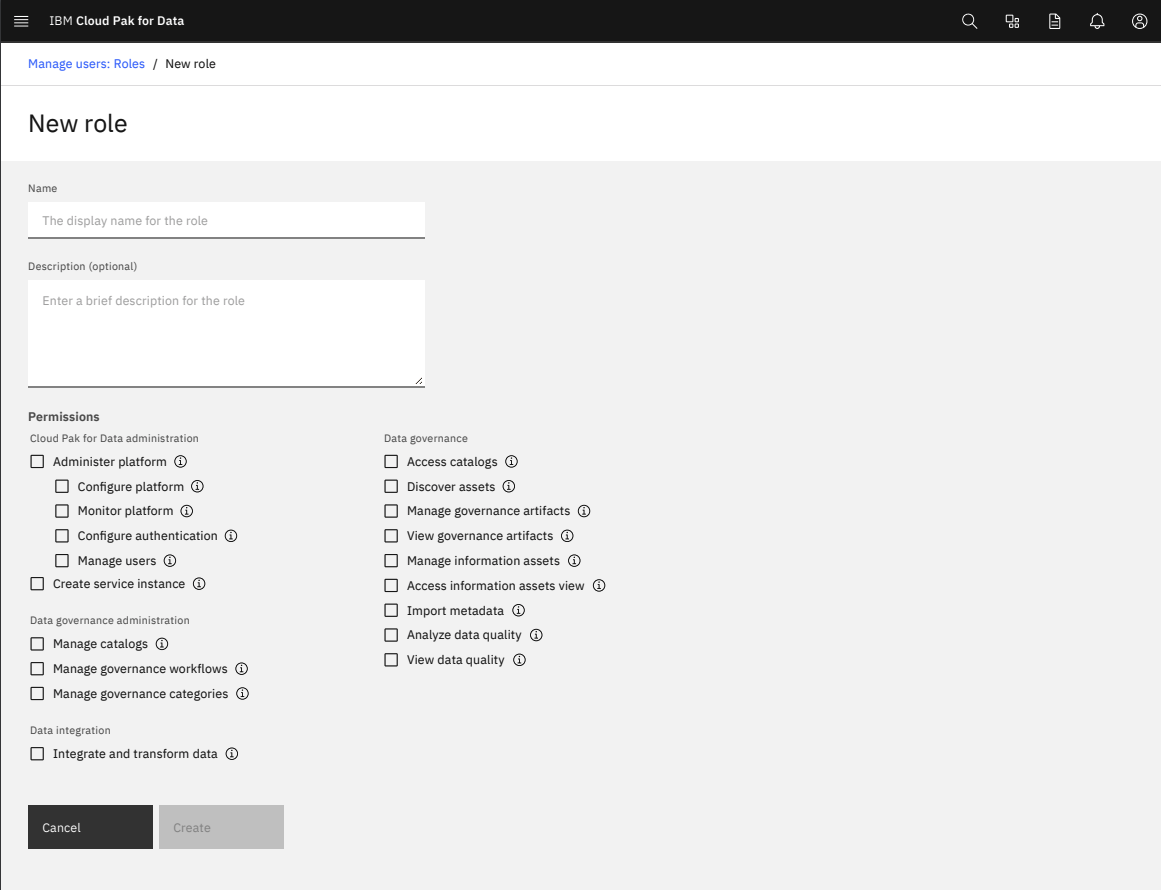
- No hierarchy
- The categories are not clear
- Not enough information to understand the permissions
Now
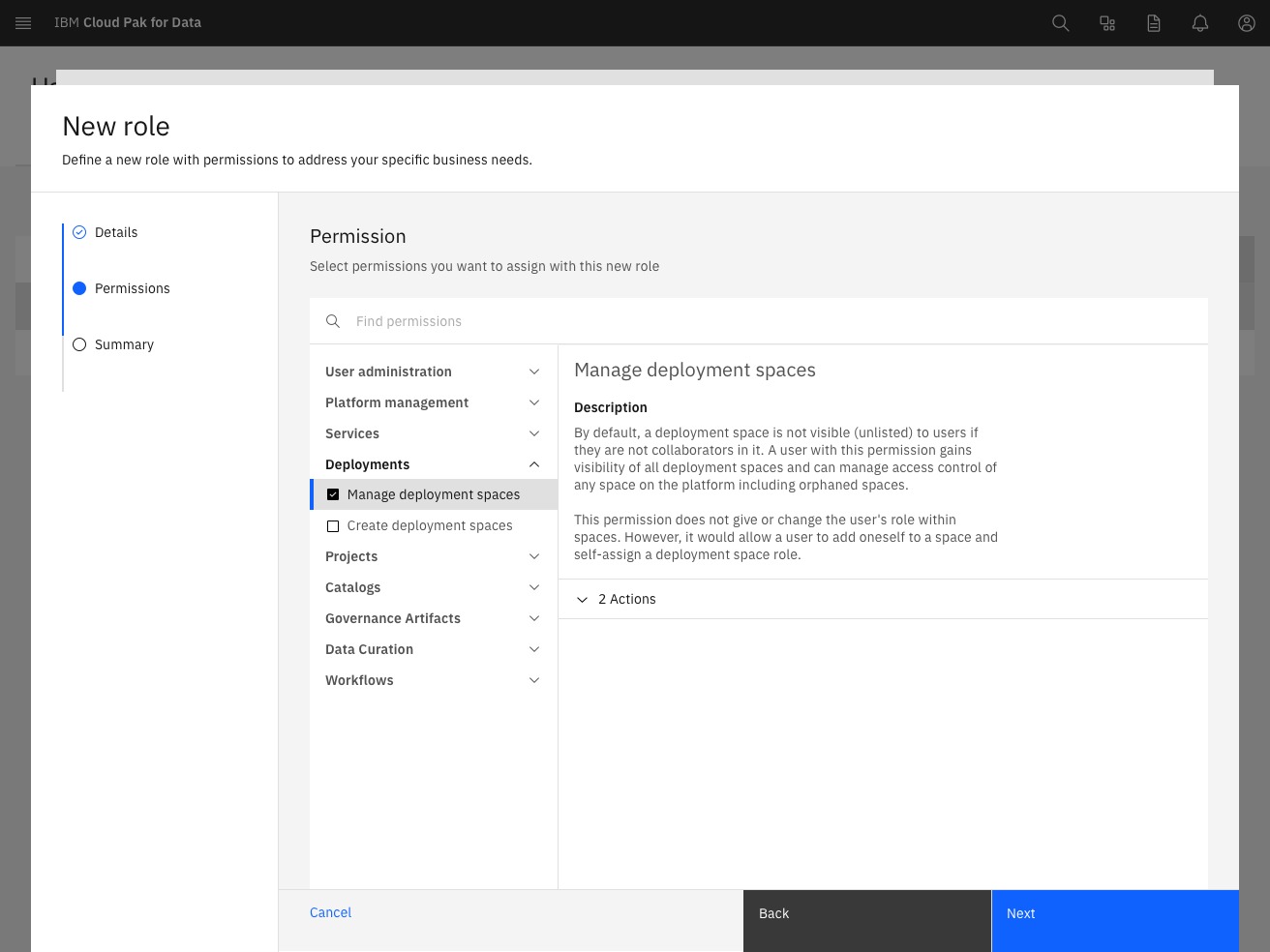
- Add more context and sufficient actions for understanding
- More intuitive hierarchy
- Consistent terminology
Success metrics
Before the redesign, the research team ran benchmark research, which showed that users had significant issues with permissions. Shown here is one task, creating a user role: the successful completion rate rose from 0% to 100%, and the SEQ (single ease question) rating rose from 5.1 to 6.5.
Problems
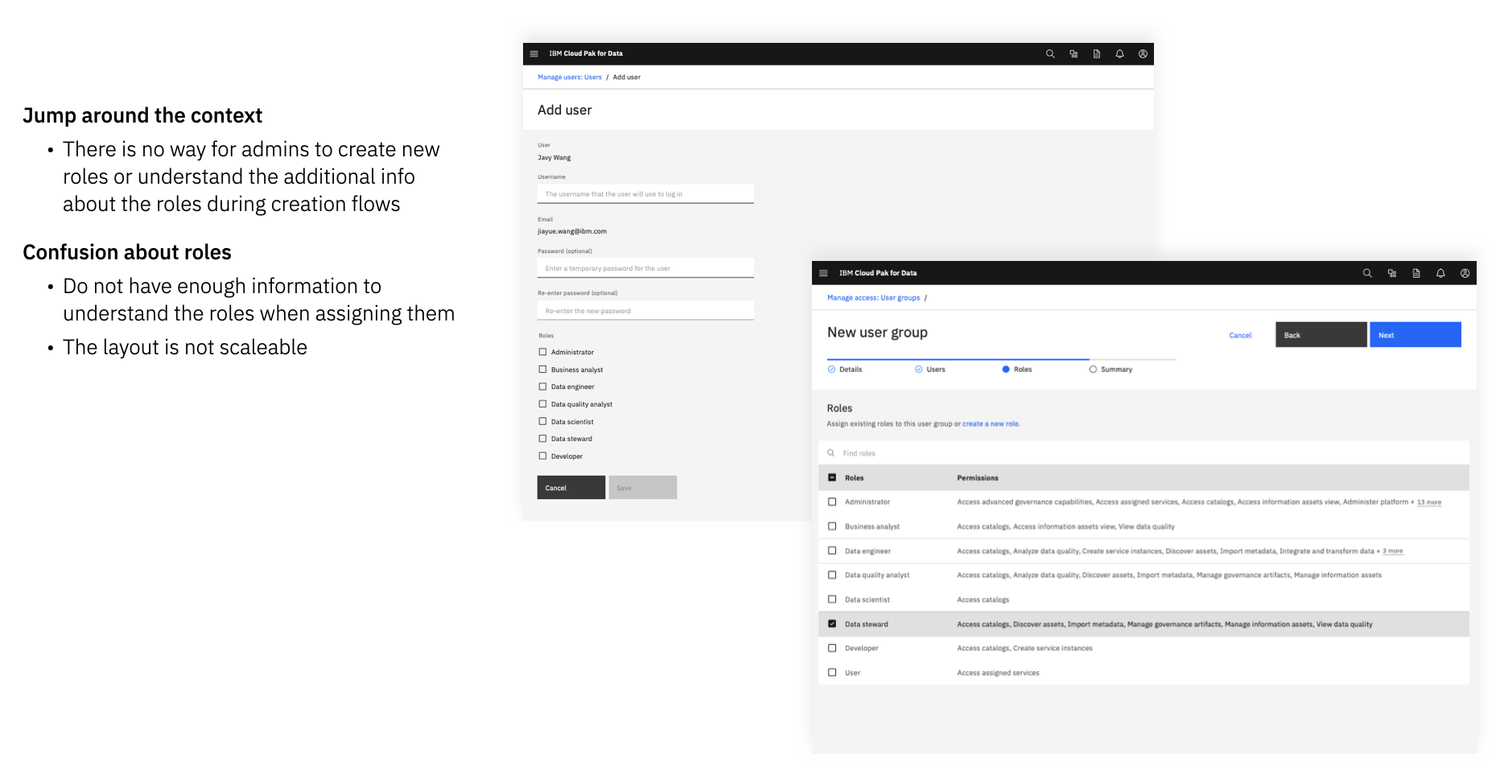
First, we needed to understand the persona responsible for identity and access management. The permission structure we set out to fix was tied to managing users, user groups and roles. The problems we found fell into two parts: structure and flow.
Flow problems
Many users said they had to jump between contexts to finish assigning roles.
Structure problems
Confusing terminology, a confusing layout, and an unclear meaning for the structure itself.
Design goal
Admins of Cloud Pak for Data can understand the scope and consequence of all platform-level permissions and service access so that they can appropriately and quickly assign the access end-users need to do their job before they log in for the first time.
Process
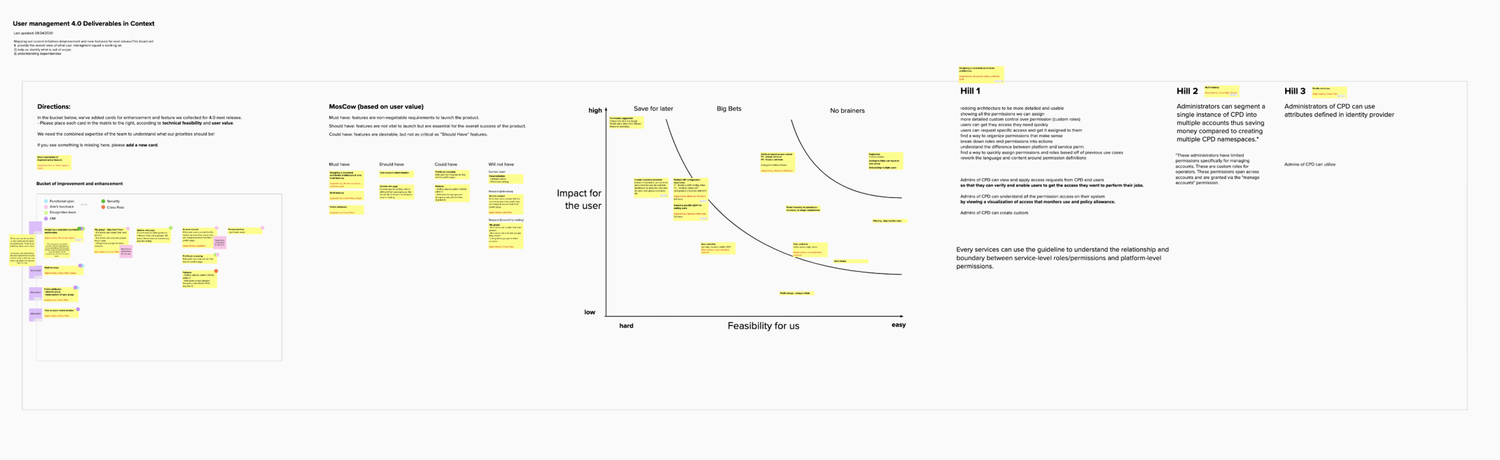
Checklist and requirement discussion
To align the team internally, my first step was a starter checklist that clarified the product’s status and where it might be headed. It helped synthesize thoughts, backlogs and more, and I used it to make sure the key information was understood before we started.
I also collected all the requirements and ran a workshop with stakeholders to walk through the checklist and the original requirements, clarify them, and agree on priorities and goals for each phase. Then I completed the design roadmap and presented it to the team for alignment.
Research
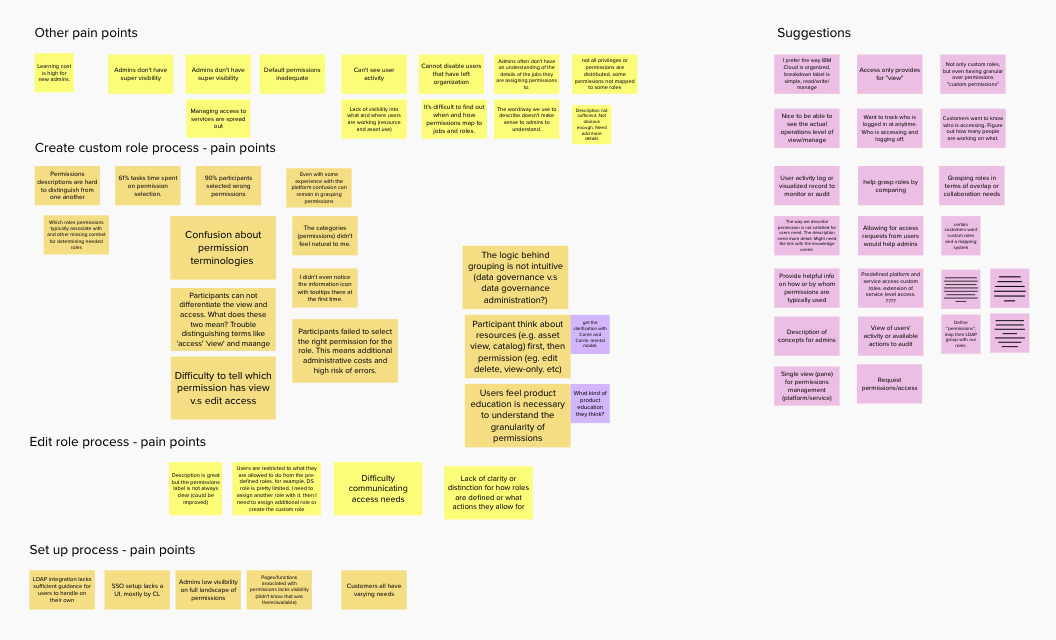
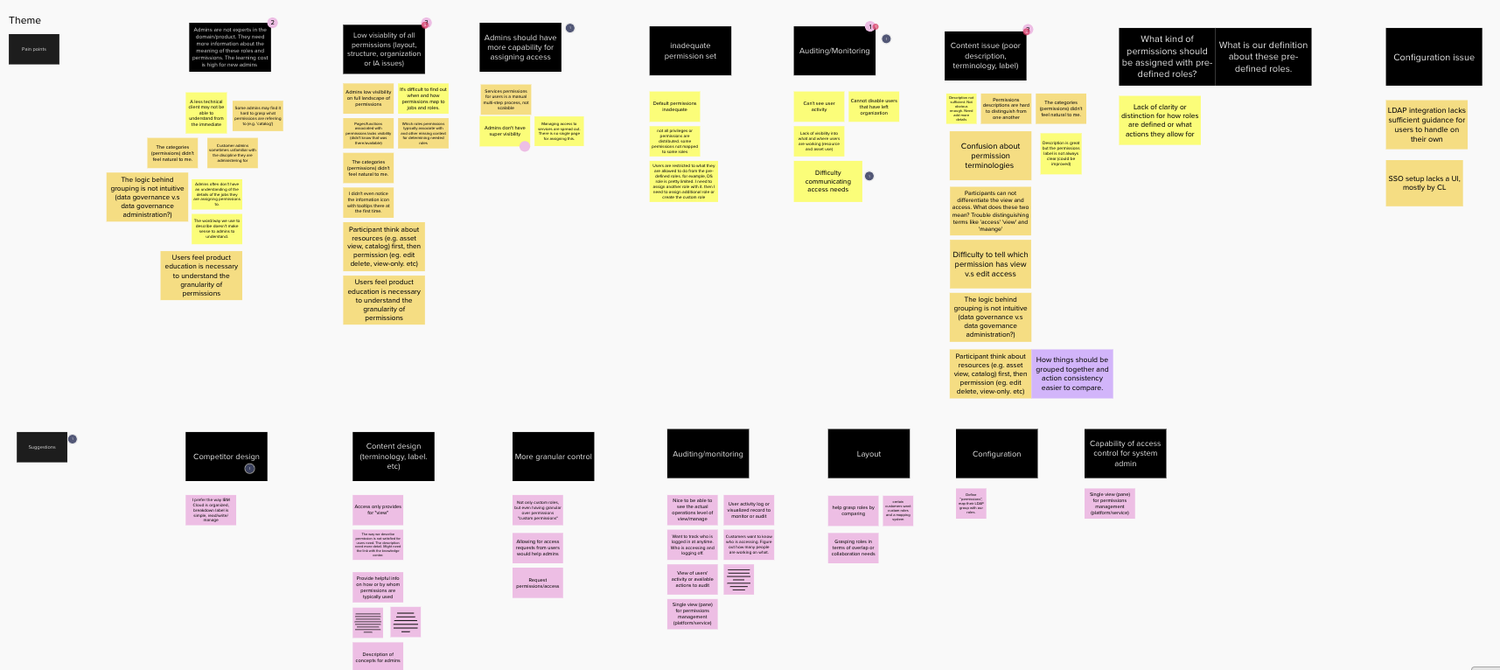
We ran several internal interviews to understand the pain points and revisited the benchmark research done by other researchers. Then we used an affinity map to synthesize the research.
Define hierarchy
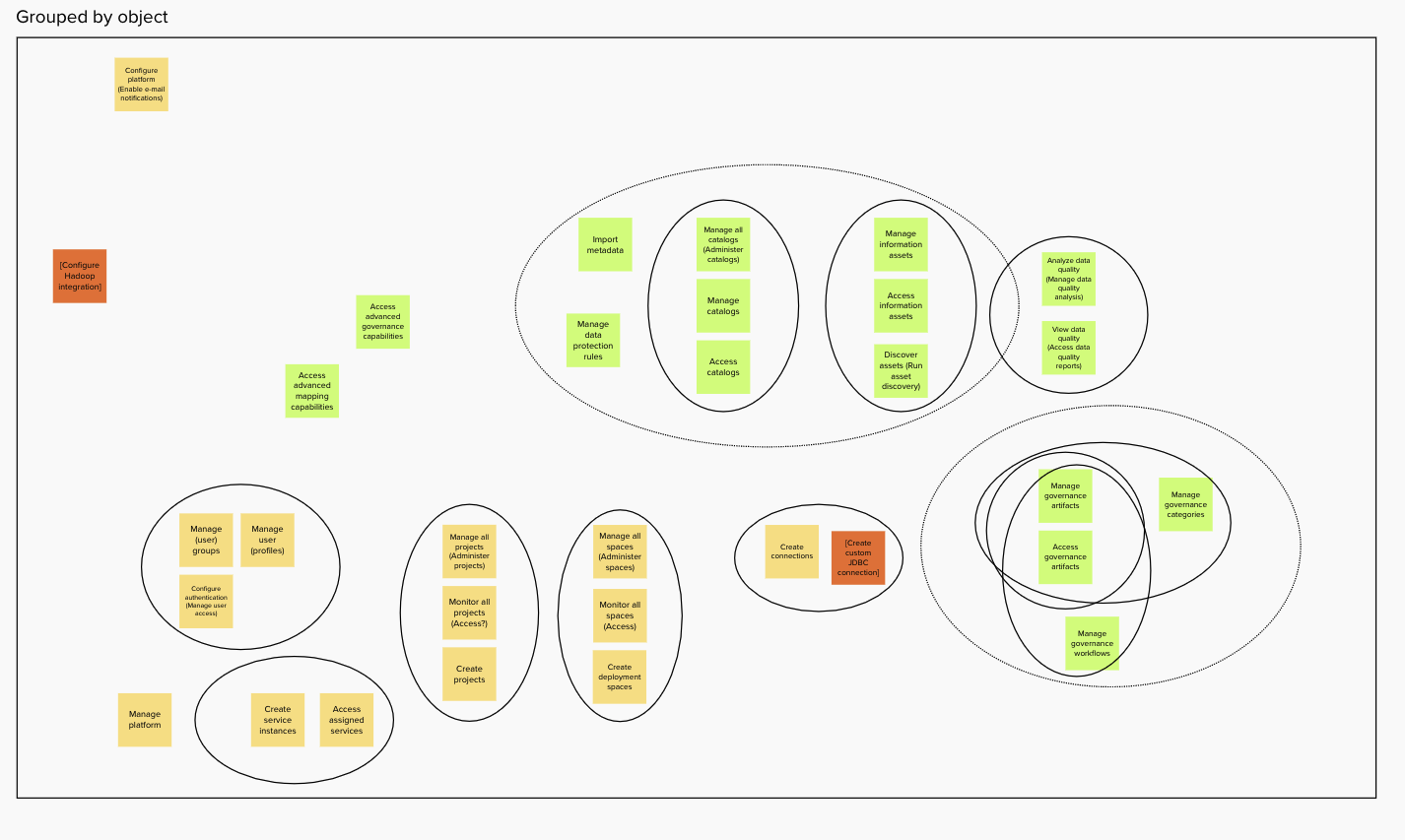
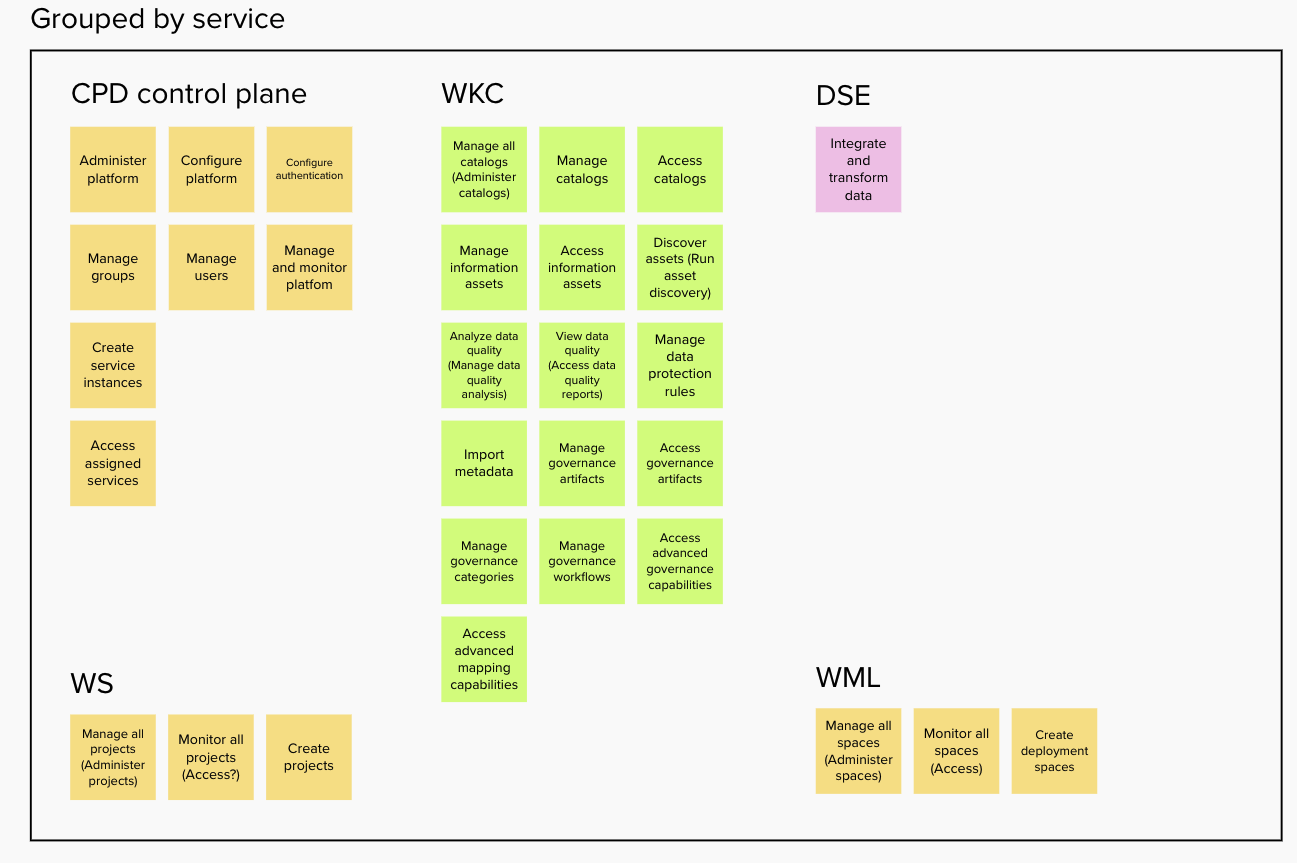
We listed every permission and grouped them three ways: by object, by service and by authority tier. We presented the options to stakeholders and some customers, and arrived at the final hierarchy shown in the relationship diagram below.
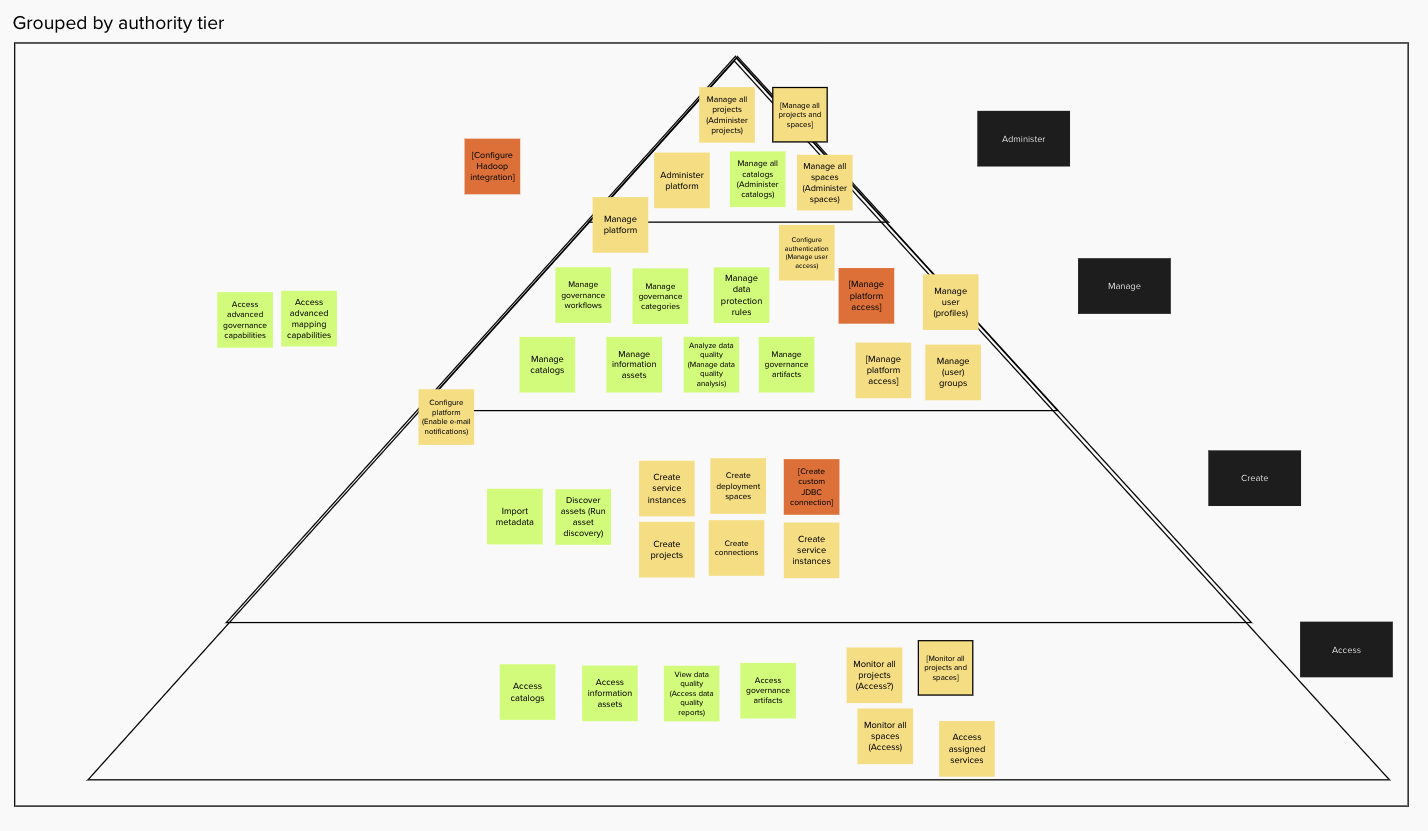
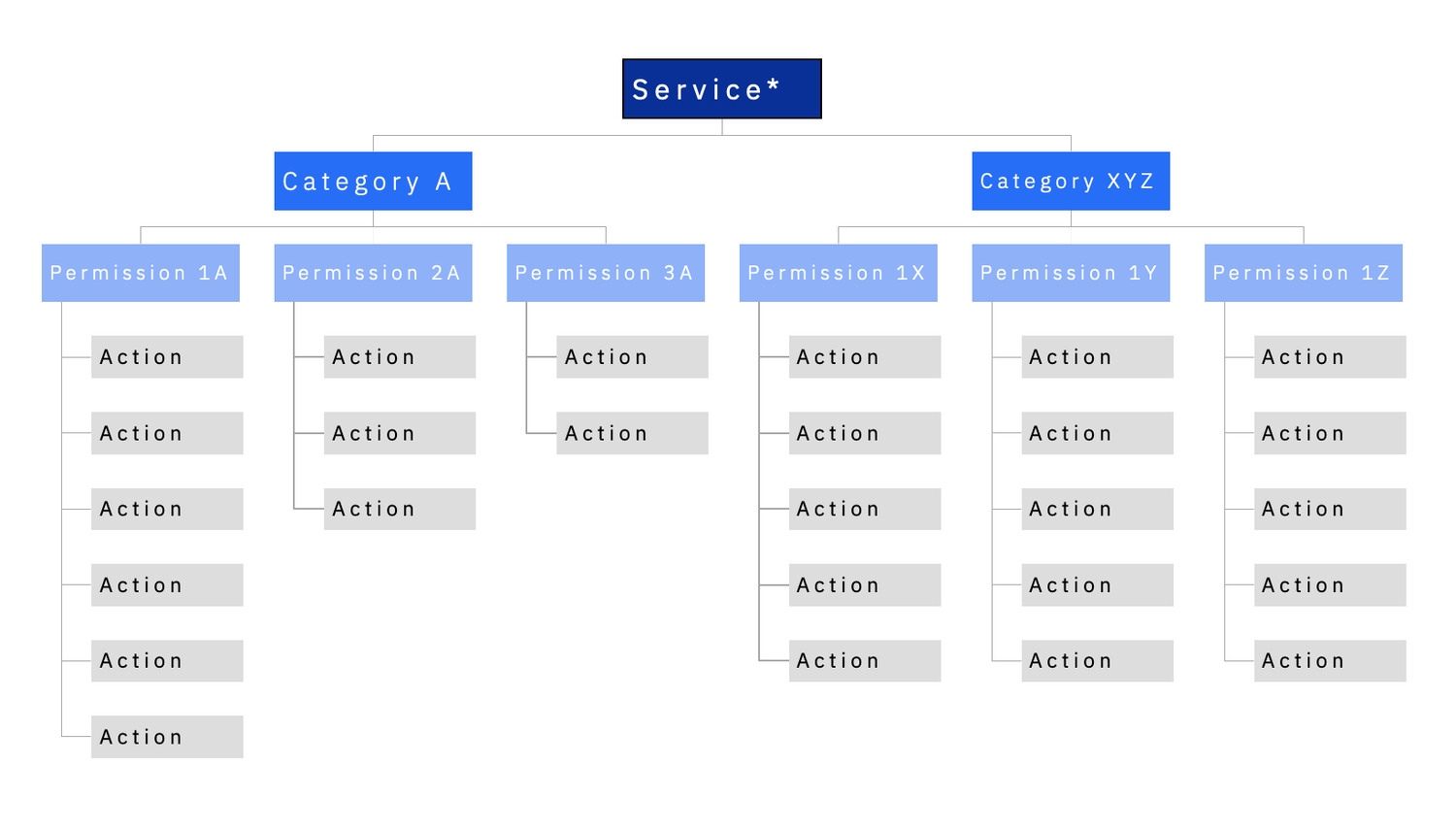
Relationship diagram for hierarchy
- Object or task-theme oriented categories (pre-sorted)
- Flat permissions set
- Comparative authority hierarchy (filter)
- Permissions as capability bundle (search)
Information at each level:
- Hi-level concepts and term definitions
- Permission details
- Action tooltips: capability caveats
- Filter by associated service
Workflow
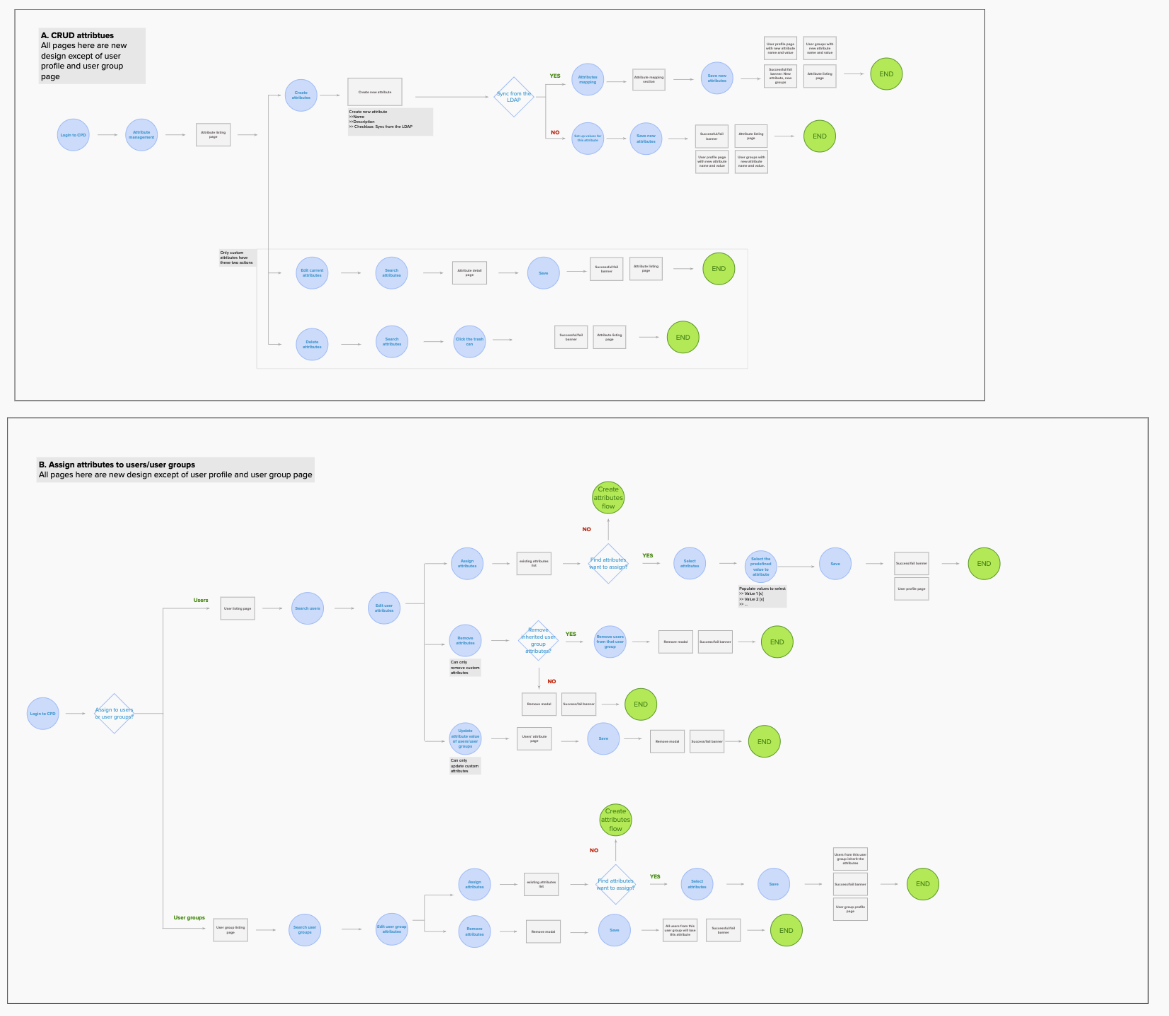
With the hierarchy in place, we moved on to the second issue: the flows. We listed every event, gateway and page in the flows, shared them with our 4-in-a-box team for feedback, and iterated. We also tagged each page ‘needs redesign’, ‘new page’ or ‘no change’ to help developers estimate their work.
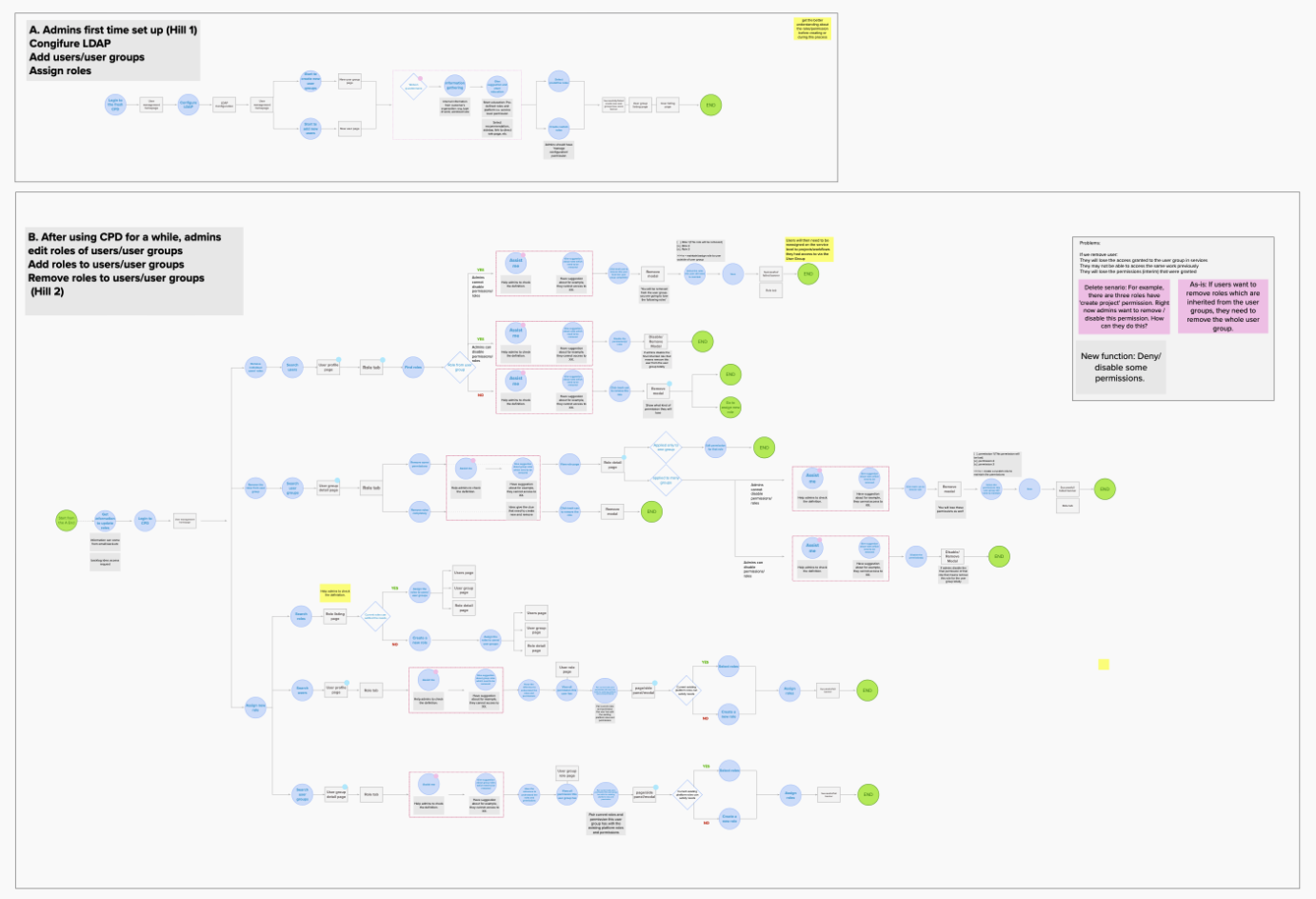
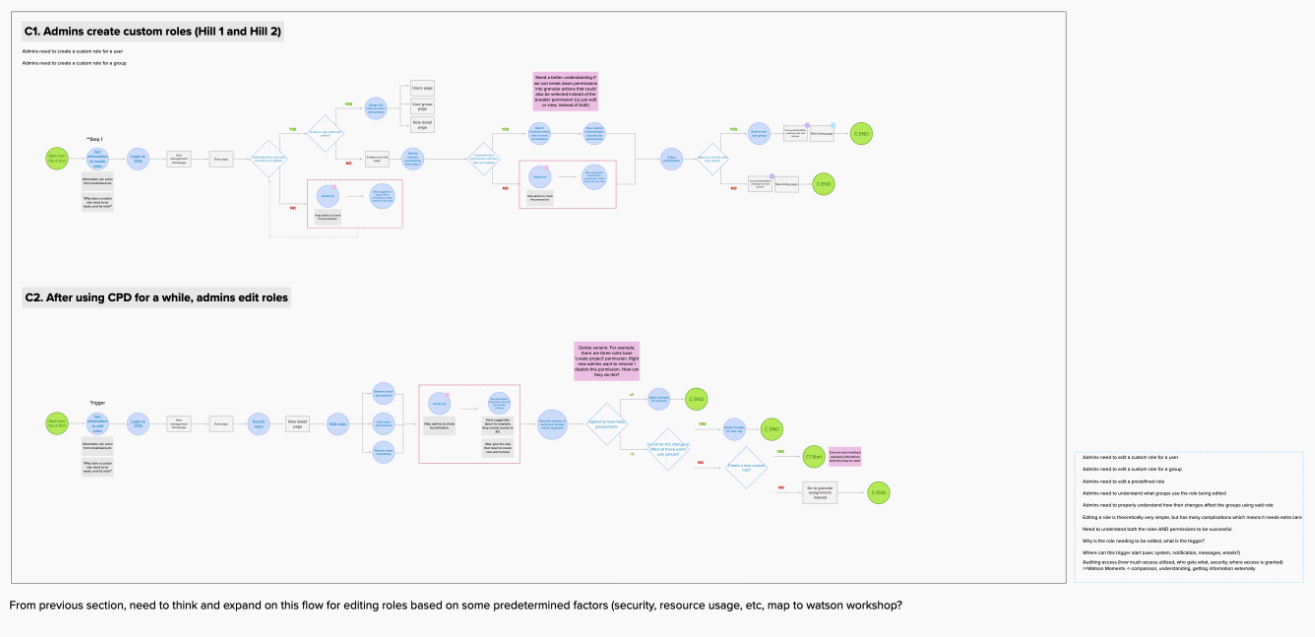
UX design iteration
After defining the hierarchy and the workflow, the team and I started designing on paper. Throughout the iterations, we kept asking ourselves these critique questions:
- Is it easy to read and understand?
- Is there enough information for admins to understand?
- Can you understand the results at a glance?
- What information should be highlighted or needs more explanation?
We went through four major iterations, with several rounds of testing and design shares along the way to get feedback.
Socialization
Once the deliverables were ready, I reached out to each dev team that would contribute and made sure they could all support the changes. Because I was on the platform team, we had to actively reach out and track service teams’ progress rather than expect them to volunteer. When sharing, I also made sure the design was reviewed by PMs and developers, not only designers.
Learning
Round out the team’s skills by finding the right people. I delegated work to people who specialized in particular skills. This mattered for the lead role: I had to know how to assign work to team members.
Listening is key when talking to service and external teams. Once word spread to a couple of teams, people who thought the project was relevant to them started asking for playbacks. Even though we already had the original requirements, we didn’t turn them away: we let them talk and got every request, question and idea out, so the design could be comprehensive.
Stay in sync with development, and build strong relationships with the developers. Our team had to actively reach out and track service teams’ progress instead of expecting them to volunteer. We held a weekly progress check and talked on Slack daily, and the strong relationship with developers gave the process flexibility.
Stay with the project until it is fully delivered. The design process doesn’t end with specs: we reviewed every updated cluster each day and shared our feedback on the implementation.